Priority Data Access
HESTIA releases data in periodic versioned snapshots. The current public release is freely available to all users. Priority data access provides early access to the latest version of the data and a preview of the forthcoming release, including newly validated datasets, updated model results, and revised aggregations.
What priority access includes
Priority access provides two tiers of early data:
- Latest version: the most recent indexed data on the platform, including new uploads that have been validated and indexed since the last public release. This version is available for 182 days after each public release, after which it becomes publicly accessible.
- Preview release: a preview of the forthcoming versioned release, with recalculated impacts and updated aggregations. This allows contributors to review data before it is finalised and published.
See Data Releases for how versions are named and how to select one once access has been granted.
How to qualify
To qualify for priority data access, one of the following criteria must be met within the last year:
- Data contribution: upload a Source and have it approved and indexed by the HESTIA team.
- Code contribution: close an open issue on one of the HESTIA GitLab repositories via a merge request.
- Funding contribution: contribute funding to one of our projects.
Priority access is reviewed annually. If none of the above criteria have been met within the past year, access reverts to the public release.
Requesting access
Requests are made from your Dashboard, in the Unlock early access to the latest data panel. You must be signed in to see it.
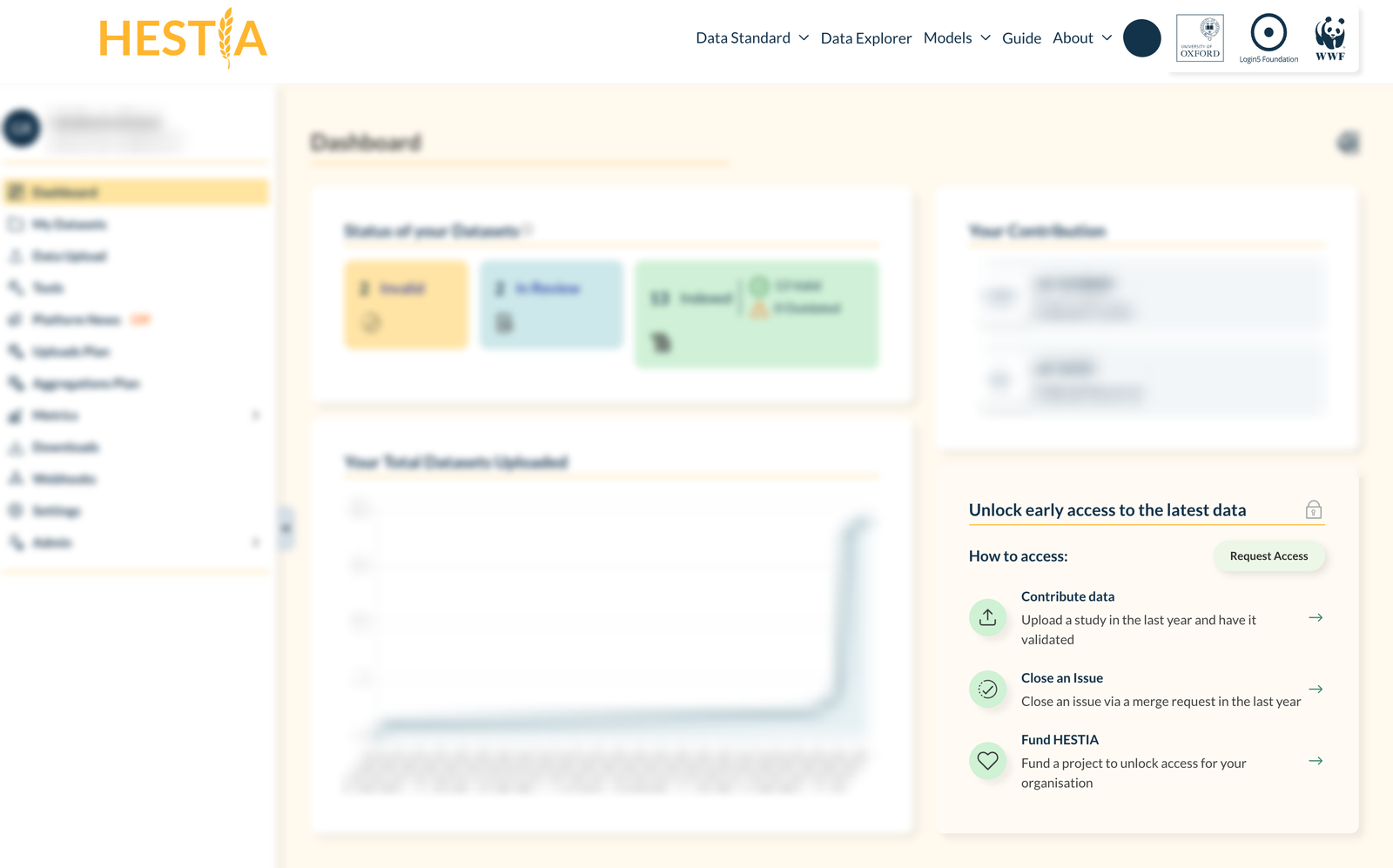
The Unlock early access to the latest data panel, on the right of the HESTIA dashboard, with its Request Access button and the three qualification criteria; the rest of the dashboard is dimmed
- Step 1: sign in and open your Dashboard.
- Step 2: find the Unlock early access to the latest data panel on the right. The three entries under How to access — Contribute data, Close an Issue, Fund HESTIA — are the qualification criteria above, and each arrow takes you to where you act on it: uploading a study, the GitLab repositories, or an email to the team.
- Step 3: select Request Access to open the request form.
Completing the request form
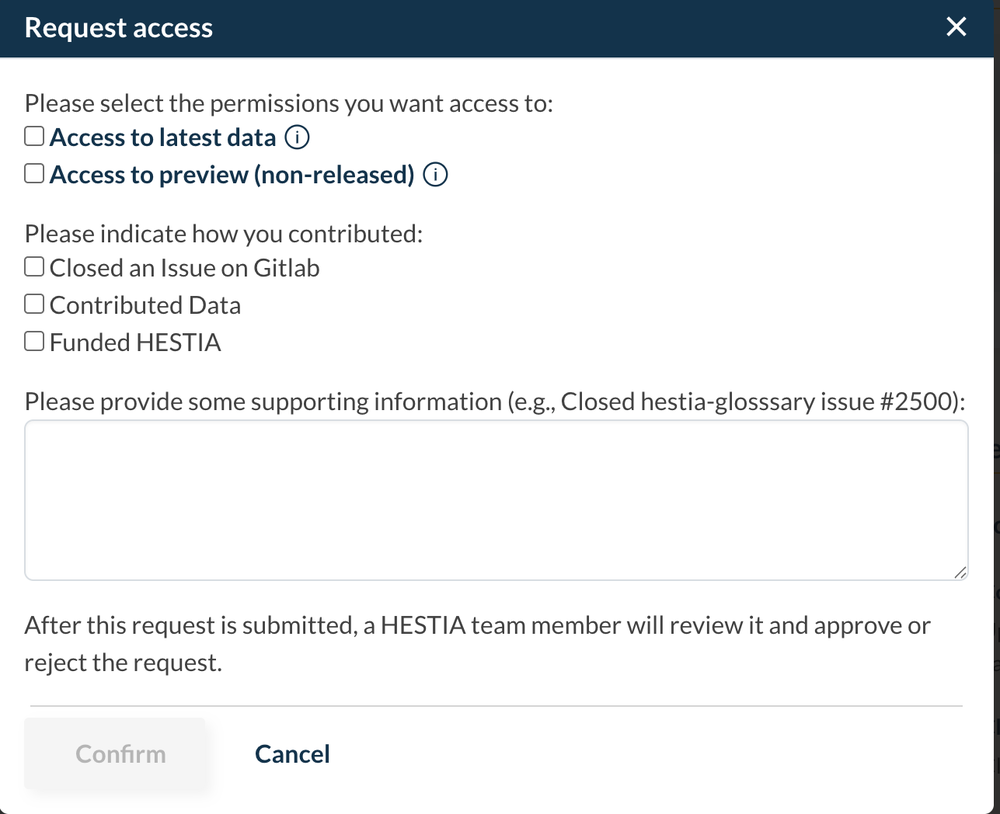
The Request access form, with permission and contribution checkboxes and a supporting information field
All three parts of the form are required — Confirm stays disabled until each one is filled in.
- Step 4: under Please select the permissions you want access to, tick Access to latest data, Access to preview (non-released), or both. These are the two tiers described above.
- Step 5: under Please indicate how you contributed, tick every criterion you meet: Closed an Issue on Gitlab, Contributed Data, or Funded HESTIA.
- Step 6: in the supporting information field, give the HESTIA team what they need to verify the contribution — the issue or merge request it closed, the Source you uploaded, or the funding arrangement. A reference such as
Closed hestia-glossary issue #2500is enough. - Step 7: select Confirm to submit. The form confirms Request successfully sent, and you can close it.
After you submit
A HESTIA team member reviews each request and approves or rejects it, typically within a few working days.
- While the request is pending, the dashboard panel lists the permissions you asked for and the date you asked. A request that is not reviewed within 7 days expires, and you can submit a new one.
- You cannot submit a second request within 7 days of the last one. Submitting again before then returns You have already requested access less than 7 days ago.
- Once approved, the panel becomes Early access unlocked and shows the date the access will be automatically revoked, along with a link through to the Data Explorer on the version you unlocked. Renewing means making a new request.
If you have questions about eligibility or the request process, email community@hestia.earth.