openLCA
openLCA has a built-in HESTIA client. You can search HESTIA from inside openLCA and import Cycles straight into an openLCA database as processes — nothing is exported to a file and no converter is involved, the client calls the HESTIA API directly.
The client is marked experimental in openLCA. It is developed by GreenDelta, who make openLCA, with contributions from HESTIA.
What You Need
- openLCA 2.6 or later, from openlca.org/download.
- A HESTIA account and your personal access token — Using the HESTIA API explains where to find it.
- A database open in openLCA. Import into one that already carries a background inventory, such as ecoinvent, if you want the imported inputs to link to providers.
Opening the Client
Tools ▸ API Clients ▸ HESTIA (experimental).
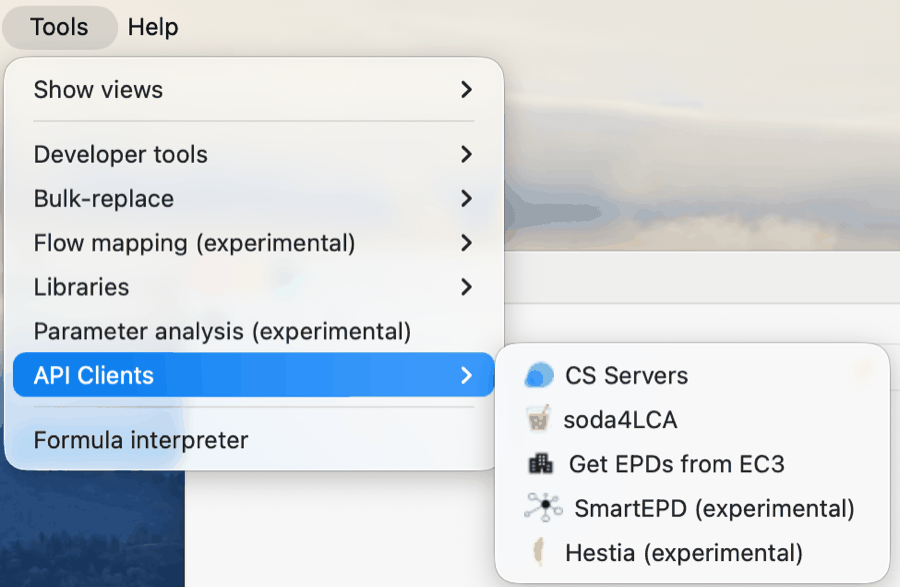
The HESTIA client in the openLCA Tools menu, under API Clients
The first time you open it, openLCA asks for the API endpoint and your access token. The endpoint is https://api.hestia.earth. The token is cached in the openLCA workspace so the dialog does not come back; the Logout button in the User section deletes the cached token and closes the tab.
Searching
The client searches Cycles only. ImpactAssessments are not imported: openLCA computes the impacts itself, from the inventory it imports, with its own LCIA methods.
Two settings sit beside the search box:
- Search aggregated data sets — on by default, and restricts the results to aggregated Cycles whose aggregated data has been validated. Turn it off to search the individual, farm-level Cycles instead.
- Number of results — between 5 and 500, 25 by default.
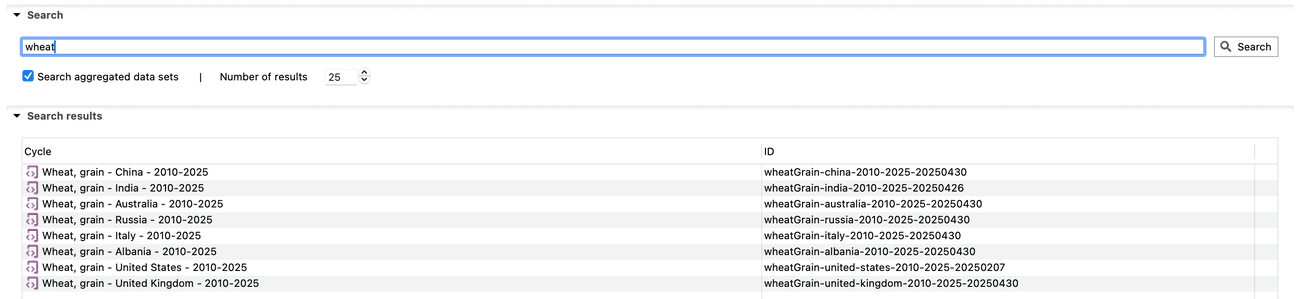
Searching HESTIA for wheat from inside openLCA, with the aggregated Cycles listed by name and id
Select a result and choose Show cycle to inspect it before importing.
Choosing a Release
The Release dropdown lists the releases your account can access, most recent first, with the preview release at the top if you are entitled to it. What you select is sent with the search and with every Cycle and Site the import then fetches, so the results and the imported data always come from the same snapshot.
Which releases appear depends on your account: the public release is open to everyone, while the latest version and the preview are restricted for 182 days after the version date. See Priority Data Access for how to qualify.
Leaving the choice to the API serves the most recent release you are allowed to read, which moves as new releases are published. Pick a release explicitly when you need the same data twice — a reproducible study, or a model you will rebuild later.
The release selector was contributed to openLCA by HESTIA and is not in openLCA 2.6.2. Until the next openLCA release, 2.6.2 searches whatever the API serves by default.
Importing
Select one or more results and choose Import selected.
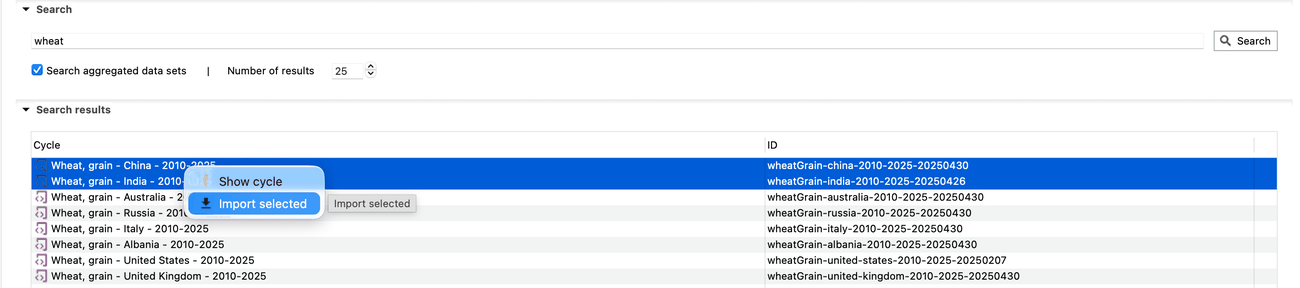
Two search results selected, with the Import selected action
The import dialog offers three settings:
- Flow mapping — an openLCA flow-mapping file already in your database, used to map HESTIA terms onto the flows of your background database. openLCA preselects a mapping whose name contains "hestia" if it finds one.
- Import as — a unit process, which brings the Cycle's inputs across as product flows, or a system process, which imports the Cycle as an aggregated result with no inputs.
- Try to link providers — for a unit process, resolves each imported input to a provider process already in the database.
Each Cycle becomes one openLCA process: the name and description come from the Cycle, the location from its Site, the category from the primary product's term, the validity dates from the Cycle's start and end dates, and the process documentation cites the Cycle's Source. The primary product becomes the process's quantitative reference.
A HESTIA term with no entry in the flow mapping is not dropped — the import creates a flow for it in your database, named after the term, categorised like the term, and described with a link back to /term/<id>. A term whose unit openLCA cannot map is skipped and reported. Read the import log that opens at the end for both.
Other Ways to Get the Data
openLCA is one route among several. The same data is on the Data Explorer, through the HESTIA Data API, as downloads in several formats, and — for the aggregated data — on AWS Open Data.