Uploading Your File
Step-by-step upload process
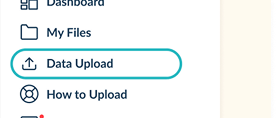

Once on the Data Upload page, you’ll need to choose the type of upload.
- New Upload: Use this option if you’re uploading a file for the first time.
- Re-Upload: Choose this if you are updating an existing file.
To make your selection, simply click on the appropriate button under Upload Type.

After choosing your upload type, select the file you want to upload. Make sure the file has been prepared for the platform. You can either pick a file from your previous uploads using the dropdown menu or drag and drop a new file into the upload area. Alternatively, click Browse Files to locate a file from your device.
Make sure the file:
- Is no larger than 100MB.
- Is in one of the supported formats: .xls, .xlsx, .csv, or .json.
If your file doesn’t meet these requirements, you’ll need to modify it before proceeding.
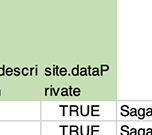
If your data are intended to remain private, ensure you use the DataPrivate field in the file to prevent public indexing.
Then select you file and ensure it meets the requirements, click Submit to start the upload. If you change your mind, you can click Cancel to exit the process without uploading.
After submitting, your data will be accessible to platform administrators and reviewers.
For more detailed information on privacy, you can visit our Privacy Policy.
If you encounter any issues during the upload process or have questions, feel free to reach out to us at community@hestia.earth for assistance.