Managing Your Files
This section describes how to organise, filter, and manage uploaded datasets.
Using My Datasets
All of your datasets can be found under My Datasets. Here you can see the name of each dataset, its status, when it was last uploaded, and when it was last indexed.
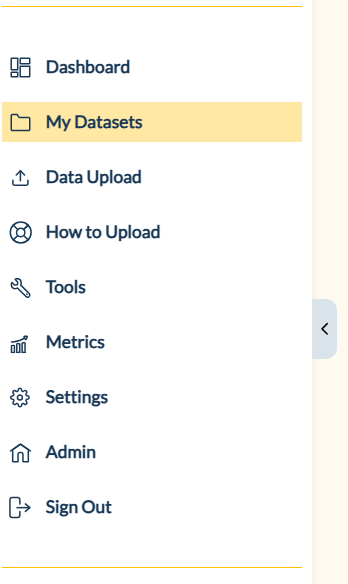
My Datasets location
The gear icon allows you to filter your datasets by their status. By filtering by Outdated only, you can see which of your datasets need to be updated to align with the current schema and glossary.
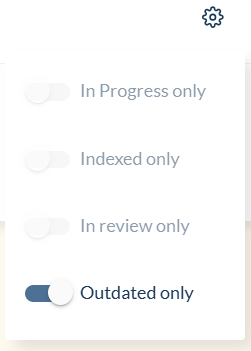
Filter options
The arrow icon allows you to change the order in which your datasets appear. It defaults to Upload Date from newest to oldest, but you can also sort by Filename, Folder, and Status. Clicking the sorting option a second time will reverse the order of the datasets, e.g., sorting by Upload Date from oldest to newest.
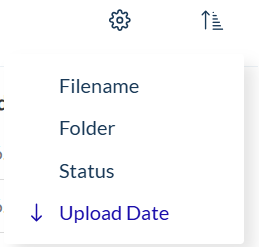
Sorting options
The three dots next to each dataset can be used to do the following actions:
- Upload new version: this will take you to the
Data Uploadpage where you can upload an updated version of your dataset. - Share: this allows you to share your dataset with another HESTIA account holder, and can be used to share private uploads with other users.
- Rename Dataset: this allows you to change the name of a dataset, however if the uploads are already validated it will not be possible to rename the dataset.
- Delete Dataset: this can be used to delete your dataset, however this is not possible if it has been indexed. If you need to delete an indexed dataset, you can email us at community@hestia.earth.
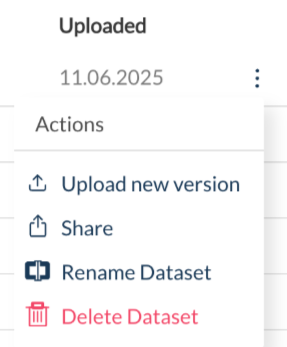
Dataset actions